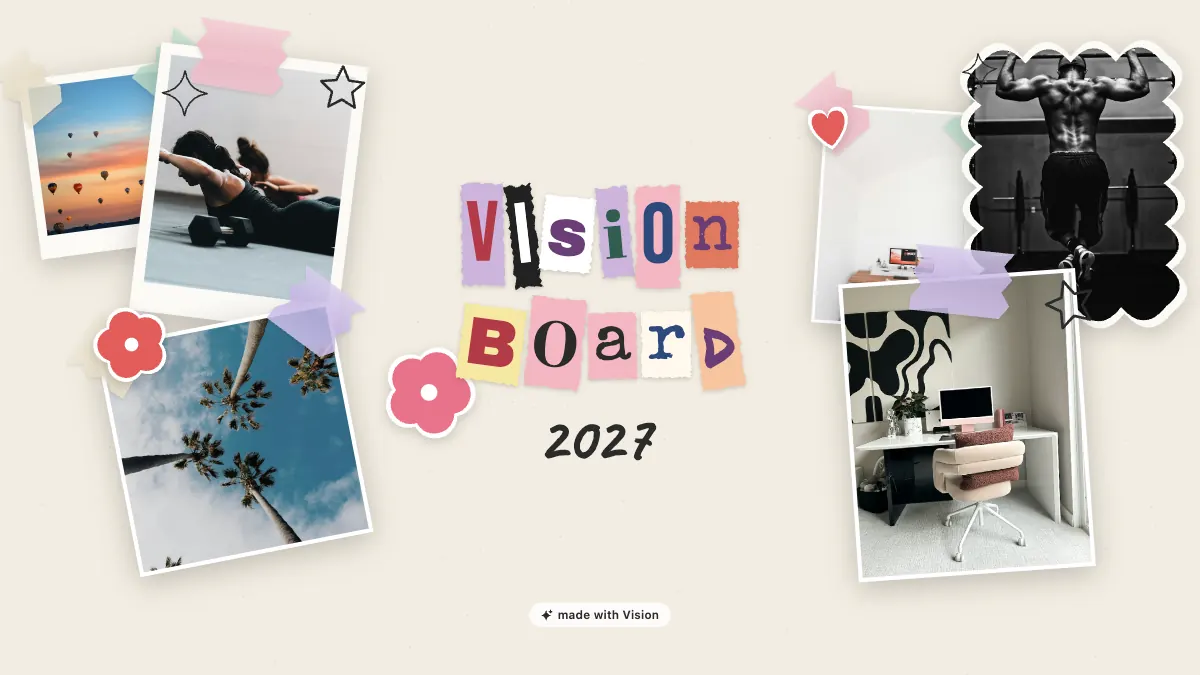
How to make a digital vision board in 3 steps
- Pick your areas. Choose up to three areas of your life and the board fills with photos for each, around a title cut out of magazine letters.
- Add what is only yours. Upload your own photos and write your goals: each one becomes a handwritten caption on masking tape.
- Arrange and download. Remix until the layout feels right, drag any piece where you want it, then save it as a story, a phone wallpaper or a desktop wallpaper.
Vision board ideas for 2027
Not sure what to put on it? Start from the areas most boards come back to. Tap one to add it to your board.
- Travel: the trip you keep postponing, a month in another city, the beach you want to wake up to.
- Love: a partner, a wedding, more evenings together, the friendships you want to look after.
- Career: the role you are working towards, the business you want to start, a desk you would love to work at.
- Home: a flat full of light, a garden, the room you finally finish, a move to a new city.
- Self-care: more sleep, slow mornings, therapy, evenings with the phone in another room.
- Money: a savings number, a debt paid off, a first investment, the deposit for a home.
- Creativity: a painting a week, the novel, an instrument, a corner of the house that is your studio.
- Family: more time with your parents, a baby, Sunday lunches, one trip with everyone.
- Fitness: a first 10K or marathon, lifting twice a week, a yoga habit, feeling strong.
- Nature: hikes, weekends in the mountains, a swim in a lake, more days outside.
Vision board templates
Every board is a paper collage, laid out for you: photos in polaroid, torn paper, scalloped or plain frames held by washi tape, stickers, and the title in cut-out letters with the year in pen. Pick the paper it sits on, cream, grid paper, cork board or a dark sheet, and press Remix for a new arrangement as many times as you like. Nothing to resize or align by hand.
Vision board wallpaper for your phone and desktop
The iPhone wallpaper (1290 × 2796) keeps the top of the board clear for the lock screen clock. The story (1080 × 1920) fits Instagram and TikTok. The desktop wallpaper (2560 × 1440) is laid out sideways, with the photos on either side of the title and room for the menu bar and the Dock.
Questions
Is it too late to make a 2027 vision board?
No. Most people make theirs between December and February, but a board made in March or in July works the same way: what matters is seeing it every day. Change it when your goals change.
What are the categories of a vision board?
There is no fixed list. The ones most boards come back to are travel, love, career, home, self-care, money, creativity, family, fitness and nature. Pick the three that matter most this year rather than all ten.
How do I structure my vision board?
Put the title in the middle, one or two photos per goal around it, and a short caption on the photos that need words. A few big photos read better on a phone screen than many small ones.
Do I need an account? Is it free?
No account, no sign up, no cookies, and it is free. Your photos are drawn inside your browser and never leave your device. The PNG carries a small “made with Vision” mark.
Can I make a printable vision board?
Yes: the desktop download (2560 × 1440) prints well up to about A5. For a sharp A4 or A3 print without the mark, the Vision Board app for iPhone exports a print-ready PDF.
Can ChatGPT make a vision board?
It can suggest goals and write the captions, and it can generate an image, but you cannot move the pieces or use your own photos. Here you pick the areas, add your photos and goals, and drag everything where you want it, then download a wallpaper. A good mix: ask ChatGPT for ideas, build the board here.
What is the best free vision board app?
We make one, so take this with that in mind: on iPhone, Vision Board is free to start and keeps your board in a Home Screen widget, with printing and no mark in its Pro plan. On any other phone or computer, this maker works in the browser with nothing to install.